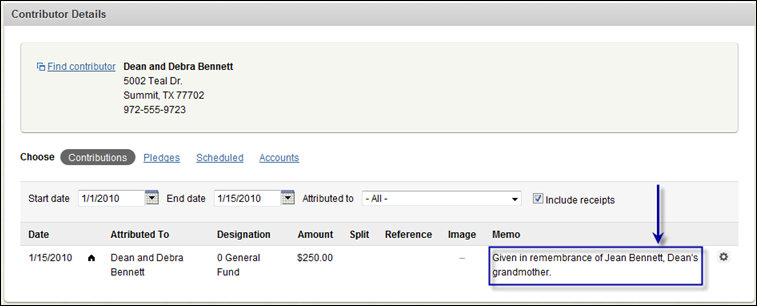
The Memo field provides a text field to use to record any notes about the contribution. For example, if the contribution is given in memory of a lost loved one, that information can be recorded in the Memo field as you are scanning the contribution.
You can view any text entered in the memo field through Giving reports (try G1050E) or in Fellowship One (www.fellowshipone.com) by clicking Giving > Contributions > Contributor Details. When you look up the contributor’s contributions, the memo field appears as shown in the image below.